Showing posts with label Polylith. Show all posts

Saturday, July 4, 2026

Practice what you Preach

I'm the maintainer of the Python tools for the Polylith Architecture, that adds useful tooling support for teams having their code organized according to the Polylith Architecture. So far in 2026, I have made seven Feature releases (i.e. minor versions) and a bunch of smaller ones (i.e. patches).

One of the features that was added this year is the possibility to inspect the coupling between individual parts of the code. In Polylith, code is logically grouped into something called bricks. For Python, these are what we know as namespace packages within the same repo.

Each package has an __init__.py, and you can define the interface of the package there. This is optional, and it is perfectly valid Python to access the modules within a package directly. In Polylith, a stricter approach is recommended: explicitly define the things that should be exposed outside of the package (aka brick).

      from my_package import my_function

      __all__ = ["my_function"]
    

The new feature is exactly about this: visualize and validate the usage of brick interfaces across the repository. With a simple command, you will find out if code is bypassing the explicit interface of a brick. This is still optional, and as long as it is valid Python you can safely ignore this. There's benefits of having code that interacts via explicit interfaces, such as refactoring - it's very easy to move code - and low-risk of breaking things when changing the code within the brick.

      # the existing command visualizing coupling between bricks
      poly deps

      # the addition, that will inspect the brick interfaces
      poly deps --interface

      # or inspect a single brick
      poly deps --interface --brick the_brick
    
Vizualize coupling, bypassed interfaces or circular dependencies.

What about circular dependencies between bricks?

Remember, a brick is a namespace package and that means that it is on a level above the individual Python modules. It can be valid Python to have two packages depend on each other, if the imports are for different modules in the packages. But this is an indication that something might be wrong with the Design. I would even go so far calling it a Bug. Two packages that import code from each other could be refactored into three, where the shared things are in a separate package. This is how the Polylith tool identifies circular dependencies between the bricks. The same command as for validating interfaces is used for this feature (poly deps) and it will inspect the code in the entire repo, to look for any circular brick dependencies. The interface lookups and the circular dependency checks are both internally using the builtin AST parsing.

Control your Agents

Many teams use agents today during development and knowing that agents can produce a lot of code in a fast pace, these two features are very useful if you want to avoid any unexpected side-effects of importing Python code without clear boundaries. Agents can use the poly tool too, just like when doing linting and testing. Static analysis is a great thing to have in the Agentic Engineering toolbox. The Polylith tool includes agent skills, so your agent will understand how to use it.

Practice what I Preach

I knew from before that the source code of Polylith tool bypassed interfaces in a couple of places, but I thought this is fine since it is valid Python. But I realized that my future self will thank me if these risky parts are fixed now and not later. Also, it is good if I actually practice what I preach being the maintainer of the Polylith tool for Python. So I fixed that. In addition, I also learned that two bricks in the repo had circular dependencies caused by a recently added feature. In this case, it was a circle of several bricks that initially made me worried. But the solution was simple: move the parts that caused the circularity into a different brick. I already had an existing brick that made sense to host the couple of Python functions that caused the circular dependency.

After refactoring: no interface violations, no circular dependencies.

Related posts and resources


Top Image generated by Mistral AI with modifications by me.

Sunday, June 21, 2026

An Agent- and Human-Friendly Architecture

"Software Architecture in the agentic era?"

What's needed for an architecture to fit well in the agentic era? Probably many things, but I would say at least simplicity and available context as two very important things to consider. Even if it for sure was not the purpose from the beginning (it was born many years ago), Polylith is about that and is a good choice for Agentic Engineering. That's a nice side-effect of keeping things simple and having all necessary context at your fingertips, which is the guiding star for this software architecture.

A year ago, agent-friendly architectures was not something I had thought about at all. Today, a lot of things has changed. But many ideas about good software remains valid.

If you haven't heard about Polylith, here's an elevator pitch: the main use case is having Microservices in a Monorepo, and share code between the services.

It's an architecture with useful tooling support and great development experience for both humans and agents. All of it Open Source. I'm the maintainer of the tooling support for Python, and teams can use it with their favorite existing tools (such as uv, poetry, pdm, pixi, maturin, hatch). The Polylith tool also includes a set of agent skills, that will add knowledge about Polylith in general and the available commands to your agent. Recently, I also added skills that are specific for migrating a single-repo Python project into a monorepo. I hope that this will help teams to more easily start using this way of structuring code.

The code in a Polylith monorepo is basically building blocks, just like LEGO bricks. Some bricks are small, some are bigger and some are a combination of other bricks. All code lives in a well-structured Monorepo (without symlinks or complex custom setups). The code is organized into smaller reusable parts with clear boundaries between them. The tooling will notify if these boundaries are bypassed or if references are circular.

LEGO bricks and code, what's the connection? In Python, a file is a module. One or more modules in a folder is a package. One or more packages can be combined into a feature. In Polylith, this is called bricks. There are two types of them: components and bases. Components are the main building blocks in Polylith. This is where the business logic lives, the actual features and functionality. Bases are the entry points to your apps or services. A base should ideally be thin, and delegate the business logic to components.

Microservices are great, but the standard setup can introduce new problems: code in many places, duplications, shared code as libraries (that means even more repositories) and different versions of everything. That can be a lot of things to maintain, for agents too.

With a monorepo structured as a Polylith, the agents will have all the necessary context in one single place. It's right there! Agents perform better when things are simple, very much like us humans do. Besides having all needed context, an agent can also use the Polylith tool just like a human would. This will save tokens, and likely speed up the development process even more. The agent skills of the tool will tell the agent how and when to use it. Having all code there at your fingertips is also great for Test & REPL Driven Development, making coding both joyful and interactive.

Link to the Python tools for the Polylith Architecture repo.

Top Photo by Mitchell Hartley on Unsplash

Sunday, June 7, 2026

Refactoring with AI?

With Agentic Engineering there's an opportunity to refactor legacy code, but this aspect of AI isn't that that much talked about and seems to be overlooked by teams out there. So far, the main thing with AI and agents has been to build new things in a fast pace.

After several months of practicing Agentic Engineering, I've realized that code quality - or code health - is more important than ever. Agents get confused by complexity, just like humans. You've probably seen it (I have too) and now there is also research backing it up. Keeping code simple is a good guideline also in the agentic era.

This is where I believe the Polylith Architecture is a good fit, for both humans and agents. The original idea of Polylith was to keep things simple and great Developer Experience for Humans. As a nice side effect, Agents will probably like this setup too. An agent will have the context it needs to build new features from the existing well-organized code in the Monorepo.

Since before, the Polylith tool for Python includes a set of agent skills about the commands and about Polylith in general. But what about migrating an entire existing single-repo project into a Polylith Monorepo? With AI, many steps could be automated here.

I recently added additional skills to the Polylith tooling that are focused on migrating and refactoring an existing Python project into an Agent friendly Monorepo. The migration skills handles the extracting of application code, restructuring and also refactoring of large components into smaller ones.

The agentic flow for the migration of a project is:

  1. discover
  2. analyze-imports
  3. extract-to-base
  4. update-imports
  5. prepare-project
  6. verify-stability
  7. isolate-base-and-big-component
  8. split-big-component
  9. extract-standalone-modules
  10. isolate-shared-and-project-logic
  11. distribute-wiring
  12. split-component-internals
  13. refactor-tests
  14. definition-of-done

Also, the project-specific tooling (such as Project & Dependency management, linting and type checking) is migrated and converted according to what’s already in the monorepo.

Example: you use uv and ruff in the Polylith Monorepo, and migrate a project that uses Poetry and flake8. The migration will convert those to uv and ruff.

I have tested the skills with Claude (Opus 4.7 and 4.8) and Mistral (mistral-large and devstral). One of the tests I ran was converting the FastAPI repo (just for fun and to test the skills out) into Polylith.

my migration prompt

In this repo, there is @./.agents instructions about the Polylith Architecture and the "poly" tool. There is also migration instructions, and those are important here. I want to migrate the project #./project/fastapi according to the migration instructions.

Before running the prompt, I copied the contents of the FastAPI repo into the Polylith projects folder. I also removed the existing .git folder in there, to avoid any confusion during the agentic work.

Hint: the more unit tests the project to migrate has, the better!

The skills are part of the polylith-cli, and you can copy the contents of the .agents file or use a tool like library-skills to add them to your monorepo. Agents are unpredictable and different models behave differently. If you decide to try this thing out, please let me know how the skills works for you.

You'll find info about Polylith for Python here.

Top Photo by Blend Archive on Unsplash

Saturday, October 25, 2025

Please don't break things

"Does this need to be a breaking change?"

During the years as a Software Developer, I have been part of many teams making a lot of task force style efforts to upgrade third-party dependencies or tools. Far too often it is work that add zero value for us. It adds significant cost, though. As a user of third-party tools, you don't have much choice. Even if you might feel productive as a developer when implementing these forced changes, think of all the other stuff you could do instead to improve your product or platform.

The great tools from the community, most of it Open Source, is something we should be thankful for, and appreciate the efforts made by the people out there. This is a plea to have extra attention when making changes that will affect your users. I am also an Open Source maintainer, and try hard to avoid changes that doesn't add value for the users.

An example from Python: uv

warning: The `tool.uv.dev-dependencies` field (used in `pyproject.toml`) is deprecated and will be removed in a future release; use `dependency-groups.dev` instead

The change itself makes a lot of sense. There's a new PEP standard for how to declare the dependencies only needed for development. Most Package & Dependency management tools out there already had their own implementation of this feature and it is probably a good thing to use the standard. From a user perspective, this only means that we need to make changes in all our Python projects. My suggestion is: why not support both options?

Maintainability vs Value

From a tooling developer perspective it is understandable that you don't want to maintain several ways of solving a problem. What about the Developer Experience of all the users of the tool out there? Imagine the teams maintaining many projects with 10, 40 or even 100 different Microservices and libraries. Each one in its own git repo.

Another Python example: Pydantic

The `dict` method is deprecated; use `model_dump` instead. Deprecated in Pydantic V2.0 to be removed in V3.0.

I like Pydantic, it is a very useful tool with great features. The 2.0 release also came with significant performance improvements. But this change doesn't make sense to me. I understand that it probably fits better within the domain of Pydantic itself.

Does this have to be a breaking change? I would suggest to have the both alternatives there. Yes, it might be a little bit more of maintenance for you as a library developer. More importantly: your users can focus on adding value into their products instead of this mostly zero-added-value work.

Example three: SQLAlchemy

MovedIn20Warning: The ``declarative_base()`` function is now available as sqlalchemy.orm.declarative_base(). (deprecated since: 2.0)

This is probably also correct, from an internal SQLAchemy domain perspective. From a user perspective, this only means that we need to change a lot of existing code. The cost of having the code overlapping in two namespaces is probably low.

I am also a maintainer of tools, and I've also made mistakes, or design choices that turned out to be not that great later on. But I also actively have made the decision to not force users to make the kind of changes that are described in this post. I don't want to break things for users of the tool because of design choices made in the past.

Should the users change their workflows?

The main thing I work on today is Python tooling for Polylith, that is a Monorepo architecture. The changes introduced by uv, Pydantic and SQLAlchemy actually isn't that much work for the developer teams using Polylith today. You'll have only one place in the source code where these changes are needed. This setup is robust, and is ready for any unexpected breaking changes in the tools that are used. Sounds nice, doesn't it?


Top Photo by generated by Dall-E, prompted and modified afterwards by me.

Friday, February 7, 2025

FOSDEM 25

FOSDEM, a Conference different from any other I've been to before. I'm very happy for the opportunity to talk, share knowledge and chat with the fellow devs there. I also met old and new friends in Brussels, and learned a little bit more about the nice Belgian beer culture. 😀

The FOSDEM event is free and you don't even register to attend (only speakers do that in a call for speakers process). Just come by the University Campus, located not far from the center of the Inner City.

I travelled towards Belgium with the Night Train from Stockholm, Sweden, and arrived the next morning in Hamburg, Germany. From there, I took the DB ICE Train to Köln/Cologne. At some point, the top speed was about 250 km/h. That's fast! From there, another fast train to Brussels.

The variety of topics and the amount of tracks at FOSDEM was mind blowing, with thousands of participants. The overall vibe was very friendly & laid back. I joined Rust focused talks, JavaScript and UX/Design talks. And, of course, the Python room talks.

My talk was in the Python room and was about Python Monorepos and the Polylith Developer Experience. Everything Python related was on FOSDEM Day 2 and I think my presentation went really well! There was a lot of questions afterwards and I got great feedback from the people attending.

The next day I went back the same route as before. I got a couple extra of hours to spend in Hamburg before onboarding the Night Train back home to Stockholm. A great Weekend Trip!

Here's the recording of my talk from FOSDEM 25:

The video was downloaded from fosdem.org.
Licensed under the Creative Commons Attribution 2.0 Belgium Licence.


Resources

Tuesday, August 27, 2024

Simple Kubernetes in Python Monorepos

"Kubernetes, also known as K8s, is an open source system for automating deployment, scaling, and management of containerized applications."
(from kubernetes.io)

Setting up Kubenetes for a set of Microservices can be overwhelming at first sight.

I'm currently learning about K8s and the Ecosystem of tooling around it. One thing that I've found difficult is the actual K8s configuration and how the different parts relate to each other. The YAML syntax is readable, but I also find it hard to understand how to structure it - impossible to edit without having the documentation close at hand. When I first got the opportunity to work with Python code running in Kubernetes, I realized that I have to put extra effort in understanding what's going on in there.

I was a bit overwhelmed by what looked like a lot of repetitive and duplicated configuration. I don't like that. But there's a tool called Kustomize that can solve this, by incrementally constructing configuration objects with snippets of YAML.

Kustomize is about managing Kubernetes objects in a declarative way, by transforming a basic setup with environment-specific transformations. You can replace, merge or add parts of the configuration that is specific for the current environment. It reminds me of how we write reusable Python code in general. The latest version of the Kubernetes CLI - Kubectl - already includes Kustomize. It used to be a separate install.

Microservices

From my experience, the most common way of developing Microservices is to isolate the source code of each service in a separate git repository. Sometimes, shared code is extracted into libraries and put in separate repos. This way of working comes with tradeoffs. With the source code spread out in several repositories, there's a risk of having duplicated source code. Did I mention I don't like duplicated code?

Over time, it is likely that the services will run different versions of tools and dependencies, potentially also different Python versions. From a maintainability and code quality perspective, this can be a challenge.

YAML Duplication

In addition to having the Python code spread out in many repos, a common setup for Kubernetes is to do the same thing: having the service-specific configuration in the same repo as the service source code. I think it makes a lot of sense to have the K8s configuration close to the source code. But with the K8s configuration in separate repos, the tradeoffs are very much the same as for the Python source code.

For the YAML part in specific, it is even likely that the configuration will be duplicated many times across the repos. A lot of boilerplate configuration. This can lead to unnecessary extra work when needing to update something that affects many Microservices.

One solution to the tradeoffs with the source code and the Kubernetes configuration is: Monorepos.

K8s configuration in a Monorepo

A Monorepo is a repository containing source code and multiple deployable artifacts (or projects), i.e. a place where you would have all your Python code and where you would build & package several Microservices from. The purpose of a Monorepo is to simplify code reuse, and to use the same developer tooling setup for all code.

The Polylith Architecture is designed for this kind of workflow (I am the maintainer of the Python tools for the Polylith Architecture).

While learning, struggling and trying out K8s, I wanted to find ways to improve the Configuration Experience by applying the good ideas from the Developer Experience of Polylith. The goal is to make K8s configuration simple and joyful!

Local Development

You can try things out locally with developer tools like Minikube. With Minikube, you will have a local Kubernetes to experiment with, test configurations and to run your containerized microservices. It is possible to dry-run the commands or apply the setup into a local cluster, by using the K8s CLI with the Kustomize configs.

I have added examples of a reusable K8s configuration in the The Python Polylith Example repo. This Monorepo contains different types of projects, such as APIs and event handlers.

The K8s configuration is structured in three sections:

  • A basic setup for all types of deployments, i.e. the config that is common for all services.
  • Service-type specific setup (API and event handler specific)
  • Project-specific setup

All of theses sections have overlays for different environments (such as development, staging and production).

As an alternative, the project-specific configuration could also be placed in the top /kubernets folder.

I can run kubectl apply -k to deploy a project into the Minikube cluster, using the Kustomize configuration. Each section adds things to the configuration that is specific for the actual environment, the service type and the project.

The base, overlays and services are the parts that aren't aware of the project. Those Project-specific things are defined in the project section.

Using a structure like this will make the Kubernetes configuration reusable and with almost no duplications. Changing any common configuration only needs to be done in one place, just as with the Python code - the bricks - in a Polylith Monorepo.

That’s all. I hope you will find the ideas and examples in this post useful.


Resources


Top photo by Justus Menke on Unsplash

Sunday, May 12, 2024

Pants & Polylith

But who is Luke and who is R2?
"Pants is a fast, scalable, user-friendly build system for codebases of all sizes"
"Polylith helps us build simple, maintainable, testable, and scalable backend systems"

Can we use both? I have tried that out, and here's my notes.

Why?

Because The Developer Experience.

Developer Experience is important, but what does that mean? For me, it is about keeping things simple. The ability to write, try out and reuse code without any context switching. By using one single setup for the REPL and the IDE, you will have everything at your fingertips.

The Polylith Architecture solves this by organizing code into smaller building blocks, or bricks, and separating code from the project-specific configurations. You have all the bricks and configs available in a Monorepo. For Python development, you create one single virtual environment for all your code and dependencies.

There is also tooling support for Polylith that is useful for visualizing the contents of the Monorepo, and for validating the setup. If you already are into Pantsbuild, the Polylith Architecture might be the missing Lego bricks you want to add for a great Developer Experience.

Powerful builds with Pants

Pantsbuild is a powerful build system. The pants tool resolves all the dependencies (by inspecting the source code itself), runs the tests and creates distributions in isolation. The tool also support the common Python tasks such as linting, type checking and formatting. It also has support for creating virtual environments.

Dude, where's my virtual environment?

In the Python Community, there is a convention to name the virtual environment in a certain way, usually .venv, and creating it at the Project root (this will also likely work well with the defaults of your IDE).

The virtual environment created by Pants is placed in a dists folder, and further in a Pants-specific folder structure. I found that the created virtual environment doesn't seem to include custom source paths (I guess that would be what Pants call roots).

Custom source paths is important for an IDE to locate the Python source code. Maybe there are built-in ways in Pantsbuild to solve that already? Package management tools like Poetry, Hatch and PDM have support for configuring custom source paths in the pyproject.toml and also creating virtual environments according to the Python Community conventions.

Note: If you are a PyCharm user, you can mark a folder as a source root manually and it will keep that information in a cache (probably a .pth file).

Example code and custom scripts

I have created an example repository, a monorepo using Pantsbuild and Polylith. You will find Python code and configurations according to the Polylith Architecture and the Pantsbuild configurations making it possible to use both tools. In the example repo I have added a script that adds source paths, based on the output from the pants roots command, to the virtual environment created by Pantsbuild. This is accomplished by adding a .pth file to the site_packages folder. For convenience, the script will also create a symlink to a .venv folder at the root of the repo.

Having the virtual environment properly setup, you can use the REPL (my favorite is IPython) with full access to the entire code base:

source .venv/bin/activate
ipython

With an activated virtual environment, you can also use all of the Polylith commands:

poly create
poly info
poly libs
poly deps
poly diff
poly check
poly sync

Pants & Polylith

Pantsbuild has a different take on building and packaging artifacts compared to other tools I've used. It has support for several languages and setups. Some features overlap with what's available in the well-known tooling in the Python community, such as Poetry. Some parts diverge from the common conventions.

Polylith has a different take on sharing code, and also have some overlapping features. Polylith is a Monorepo Architecture, with tooling support for visualizing the Monorepo. From what I've learned so far, the checks and code inspection features are the things you will find in both Pants and Polylith.

Pants operate on a file level. Polylith on the bricks level.

My gut feeling after learning about it and by experimenting, is that Pantsbuild and Polylith shares the same basic vision of software development in general and I have found them working really well together. There are some things I would like to have been a better fit, such as when selecting contents of the Pants-specific BUILD files vs the content in the project-specific pyproject.toml files.

Maybe I should develop a Pants Polylith plugin to fix that part. 🤔
How does that sound to you?


Resources


Top Photo by Studbee on Unsplash

Saturday, April 13, 2024

Write Less Code, You Must

An aspect of Python Software Development that is often overlooked, is Architecture (or Design) at the namespace, modules & functions level. My thoughts on Software Development in general is that it is important to try hard writing code that is Simple, and Easy to move from one place to another.

When having code written like this, it becomes less important if a feature was added in Service X, but a better fit would be Service Y when looking at it from a high-level Architectural perspective. All you need to do is move the code to the proper place, and you're all good. However, this will require that the actual code is moveable: i.e. having the features logically separated into functions, modules and namespace packages.

Less Problems

There's a lot of different opinions about this, naturally. I've seen it in in several public Python forums, and been surprised about the reactions about Python with (too) few lines of code in it. How is it even possible having too little of code?

My take on this in general is Less code is Less Problems.

An example

def my_something_function():
    # Validation
    
    # if valid 
    # else do something
    ... python code here

    # Checking

    # if this 
    # elif that
    # elif not this or not that
    # else do_something
    ... python code here

    # Data transformation

    # for each thing in the things
    #    do a network call and append to a list
    ... python code here

    # Yay, done
    return the_result

This type of function - when all of those things are processed within the function body - is not very testable. A unit test would likely need a bunch of mocking, patching and additional boilerplate test data code. Especially when there are network calls involved.

My approach on refactoring the code above would be to first identify the different tasks within this controller type of function, and begin by extracting each task into separate functions. Ideally these would be pure functions, accepting input and returning output.

At first, I would put the functions within the same module, close to at hand. Quite quickly, the original function has become a whole lot more testable, because the extracted functions can now easily be patched (my preference is using pytest monkeypatch). This approach would be my interpretation of developing software towards a clean code ideal. There is no need for a Dependency Injection framework or any unnecessary complex OOP-style hierarchy to accomplish it.

In addition to testability, the Python code becomes runnable and REPL-friendly. You can now refactor, develop and test-run the individual functions in the REPL. This is a very fast workflow for a developer. Read more about REPL Driven Development in Python here.

With the features living in separate isolated functions, you will likely begin to identify patterns:

"- Hey, this part does this specific thing & could be put in that namespace"

When moving code into a namespace package, the functions become reusable. Other parts of the application - or, if you have a Monorepo containing several services - can now use one and the same source code. The same rows of code, located in a single place of the repo. You will likely structure the repo with many namespace packages, each one containing one or a couple of modules with functions that ideally do one thing. It kind of sounds like the Unix philosophy, doesn't it?

This is how I try to write code on a daily basis, at work and when developing Open Source things. I use tools like SonarCloud and CodeScene to help me keep going in this direction. I've written about that before. The Open source code that I focus on these days (Polylith) has 0% Code Duplications, 0% Code Smells and about a 9.96 long-term Quality Code Scoring. The 0.04 that is left has been an active decision by me and is because of endpoints having 5+ input arguments. It makes sense for me to keep it like that there, but not in functions within the app itself where an options object is a better choice.

This aspect of Software Development is, from my point of view, very important. Even more important than the common Microservices/Events/REST/CQRS debates when Architecture is the topic of discussion. This was my Saturday afternoon reflections, and I thank you for reading this post. ☀️

Top Photo by Remy Gieling on Unsplash

Sunday, February 18, 2024

Python Monorepo Visualization

What's in a code repository? Usually you'll find the source code, some configuration and the deployment infrastructure - basically the things needed to develop & deploy something. It might be a service, an app or a library. A Monorepo contains the same things, but for more than one artifact. In there, you will find the code, configurations and infrastructure for several services, apps or libraries.

The main use case for a Monorepo is to share code and configuration between the artifacts (let's call them projects).

These things have to be simple

Sharing code can be difficult. Repos can be out of date. A Monorepo can be overwhelming. With or without a Monorepo, the most common way of sharing code is to package them as libraries that the projects can add as external dependencies. But managing different versions and keeping the projects up-to-date could lead to unexpected and unwanted extra work. Some Monorepos solve this by using symlinks to share code, or custom scripts for copying things into the individual projects during deployment.

Doing that can be messy, I've seen it myself. I was once part of a team that migrated away from a horrible Monorepo, into several smaller single-repo microservices. The tradeoffs: source code spread out in repos with an almost identical structure. Almost is the key here. Also, code and config duplications.

These tradeoffs have a negative impact on the Developer Experience.

The Polylith Architecture has a different take on organizing and sharing code, with a nice developer experience. These things have to be simple. Writing code should be fun. Polylith is Open Source, by the way.

The most basic type of visualization

In a Polylith workspace, the source code lives in two folders named bases and components. The entry points are put in the bases folder, all other code in the components folder. At first look, this might seem very different from a mainstream Python single-project structure. But it isn't really that different. Many Python projects are using a src layout, or have a root folder with the same name as the app itself. At the top, there's probably an entry point named something like app.py or maybe main.py? In Polylith, that one would be put in the bases folder. The rest of the code would be placed in the components folder.

  components/
     .../
       auth
       db
       kafka
       logging
       reporting
       ...
  

You are encouraged to keep the components folder simple, and rather put logically grouped modules (i.e. namespace packages) in separate components than nested structures. This will make code sharing more straightforward than having a folder structure with packages and sub-packages. It is also less risk of code duplication with this kind of structure, because the code isn't hidden in a complex folder structure. As a side effect, you will have a nice overview over the available features: the names of the folders will tell what they do and what's available for reuse. A folder view like this is surprisingly useful.

Visualize with the poly tool

Yes, looking at a folder structure is useful, but you would need to navigate the actual source code to figure out where it is used and which dependencies that are used in there. Along with the Polylith Architecture there is tooling support. For Python, you can use the tooling together with Poetry, Hatch, PDM or Rye.

The poly info command, an overview of code and projects in the Monorepo.

Besides providing commands for creating bases, components and projects there are useful visualization features. The most straightforward visualization is probably poly info. Here, you will get an overview of all the bricks (the logically grouped Python modules, living in the bases and components folders), the different projects in the Workspace and also in which projects the bricks are added.

Third-party libraries & usages

There's a command called poly libs that will display the third-party dependencies that are used in the Workspace (yes, that's what the contents of the Monorepo is called in Polylith). It will display libraries and the usages on a brick-level. In Polylith, a brick is the thing that you share across projects. Bricks are the building blocks of this architecture.

The poly libs command, displaying the third-party dependencies and where they are used.

The building blocks and how they depend on each other

A new thing in the Python tooling is the command called poly deps. It displays the bricks and how they depend on each other. You can choose to display an overview of the entire Workspace, or for an individual project. This kind of view can be helpful when reasoning about code and how to combine bricks into features. Or inspire a team to simplify things and refactor: should we extract code from this brick into a new one here maybe?

A closer look at the bricks used in a project with poly deps.

You can inspect a single brick to visualize the dependencies: where it is used, and what other bricks it uses.

A zoomed-in view, to inspect the usages of a specific brick.

Export the visualizations

The output from these commands is very easy to copy-and-paste into Documentation, a Pull Request or even Slack messages.

poly deps | pbcopy

📚 Docs, examples and videos

Have a look at the the Polylith documentation for more information about getting started. You will also find examples, articles and videos there for a quick start.


Top image made with AI (DALL-E) and manual additions by a Human (me)

Thursday, January 25, 2024

Simple & Developer-friendly Python Monorepos

🎉 Announcing new features 🎉

Polylith is about keeping Monorepos Simple & Developer-friendly. Today, the Python tools for the Polylith Architecture has support for Poetry, Hatch and PDM - three popular Packaging & Dependency Management tools in the Python community.

In addition to the already existing Poetry plugin that adds tooling support for Polylith, there is also a brand new command line tool available. The CLI has support for both Hatch and PDM. You can also use it for Poetry setups (but the recommended way is to use the dedicated Poetry plugin as before).

To summarize: it is now possible to use the Simple & Developer-friendly Monorepo Architecture of Polylith with many different kinds of Python projects out there.

"Hatch is a modern, extensible Python project manager."
From the Hatch website

🐍 Hatch

To make the tooling fully support Hatch, there is a Hatch build hook plugin to use - hatch-polylith-bricks - that will make Hatch aware of a Polylith Workspace. Hatch has a nice and well thought-through Plugin system. Just add the hook to the build configuration. Nice and simple! The Polylith tool will add the config for you when creating new projects:

[build-system]
requires = ["hatchling", "hatch-polylith-bricks"]
build-backend = "hatchling.build"
"PDM, as described, is a modern Python package and dependency manager supporting the latest PEP standards. But it is more than a package manager. It boosts your development workflow in various aspects."
From the PDM website

🐍 PDM

Just as with Hatch, there are build hooks available to make PDM aware of the Polylith Workspace. Writing hooks for PDM was really simple and I really like the way it is developed. Great job, PDM developers! There is a workspace build hook - pdm-polylith-workspace - and a projects build hook - pdm-polylith-bricks - to make PDM and the Polylith tooling work well together.

This is added to the workspace build-system section pyproject.toml:

[build-system]
requires = ["pdm-backend", "pdm-polylith-workspace"]
build-backend = "pdm.backend"

And the plugin for projects.
This will be added by the poly create project command for you.

[build-system]
requires = ["pdm-backend", "pdm-polylith-bricks”]
build-backend = "pdm.backend"
"Python packaging and dependency management made easy."
From the Poetry website

🐍 Poetry

For Poetry, just as before, add or update these two plugins and you're ready to go!

poetry self add poetry-multiproject-plugin
poetry self add poetry-polylith-plugin

📚 Docs, examples and videos

Have a look at the the Polylith documentation for more information about getting started. You will also find examples, articles and videos there for a quick start. I'm really excited about the new capabilities of the tooling and hope it will be useful for Teams in the Python Community!


Top photo made with AI (DALL-E) and manual additions by a Human (me)

Wednesday, November 15, 2023

A Coding Copilot

When developing software, I spend most of the time thinking & talking about the problems to solve: the what, the why and the how. The thinking-part works best for me when I'm actually away from the desktop, such as walking outdoors or even when grabbing a cup of coffee & a banana by the office kitchen. 🍌

Talking is a really nice thing, we should try that more often in combination with listening to what others have say. Even when not having any human around to chat with, there is always the rubber duck. Speak to it!

Problem Solving

Mob programming takes the Thinking & Talking to the next level. I am, strangely enough, surprised almost every time how great mob and pair programming is for software development. I tend to forget that. It's probably easy to fall back into old familiar behavior.

When figuring out what to try out, the actual typing is done pretty fast for me. A big part of the productivity boost is inspiration and the joy of solving problems with programming. I think this is valid for most creative and problem-solving work.

Everyday practicing

I try hard every day to write clear & concise code. Practicing, learning ... and walking. I really like the Functional approach to programming: separating data from behavior, actions from calculations. I should probably use GitHub Copilot or ChatGPT more, but haven't yet found the need to go all-in (aren't the AI suggestions a bit verbose, or am I doing things wrong?). Those types of in-editor copilots are cool, definitely, and are for sure here to stay. Currently, I find more value in a different kind of automated guidance.

CodeScene

When working on my Open Source Project, the Python tools for the Polylith Architecture, I am guided by tools like SonarCloud and CodeScene. I guess there are some AI involved quite heavily in there too. I especially appreciate the code reviews & even more the CodeScene long-term analysis about the effects of Tech Debt. It's like having a co-pilot, or even a Teacher, guiding you during the development to make you a better software developer than before.

This is different from the kind of review a team of humans usually do when sharing feedback on Pull Requests or even during mob programming sessions.

Even if I sometimes disagree with things the tools report on being a problem, I go ahead and refactor the code anyway. Then, when doing the refactoring, I quickly realize that the code is actually transforming into something simpler and clearer than before. SonarCloud is more into the low level details, and lets me know about code duplications or code smells. We don't want that, no. Better fix that too.

Coding Style

The feedback from these kind of tools is helping me to get closer to writing the type of code I want to write: minimalistic, readable and functional. A coding style that also is a very good fit for the Polylith Architecture, even if that thing isn't about how the code is written. You are encouraged to write in a readable & functional style by the structuring of code and by having all code at your fingertips, ready to experiment with in the REPL or in a Notebook.

CodeScene, SonarCloud and Polylith: all of them helping me in my journey to be a better Developer. Maybe I'll throw in Copilot in there too eventually.

Top Photo by Jamie Templeton on Unsplash

Thursday, August 3, 2023

Kafka messaging with Python & Polylith

This article isn't about Franz Kafka or his great novella The Metamorphosis, where the main character one day realizes that he has transformed into a Human-size Bug.

It is about a different kind of Kafka: Apache Kafka, with examples on how to get started producing & consuming messages with Python. All this in a Polylith Monorepo (hopefully without any of the bugs from that Franz Kafka novella).

This article can be seen as Part III of a series of posts about Python & Polylith. Previous ones are:

  1. GCP Cloud Functions with Python and Polylith
  2. Python FastAPI Microservices with Polylith

If you haven't heard about Polylith before, it's about Developer Experience, sharing code and keeping things simple. You will have all your Python code in a Monorepo, and develop things without the common Microservice trade offs. Have a look at the docs: Python tools for the Polylith Architecture

Edit: don't know what Kafka is? Have a look at the official Apache Kafka quickstart.

I will use the confluent-kafka library and have read up on the Confluent Getting Started Guide about writing message Producers & Consumers.

The Polylith Architecture encourages you to build features step-by-step, and you can choose from where to begin. I have an idea about producing events with Kafka when items have been stored or updated in a database, but how to actually solve it is a bit vague at the moment. What I do know is that I need a function that will produce a message based on input. So I'll begin there.

All code in a Polylith Workspace is referred to as bricks (just like when building with LEGO). I'll go ahead and create a Kafka brick. I am going to use the Python tooling for Polylith to create the brick.

Note: I already have a Workspace prepared, have a look at the docs for how to set up a Polylith Workspace. Full example at: python-polylith-example

The poly tool has created a kafka Python package, and placed it in the components folder. It lives in a top namespace that is used for all the bricks in this Polylith Workspace. I have set it to example here, but you would probably want an organizational name or similar as your top namespace.

bases/
components/
  example/ 
    kafka/
	  __init__.py
	  core.py

There's two types of bricks in Polylith: components and bases. A component is where you write the actual implementation of something. A base is the entry point of an app or service, such as the entry point(s) of a FastAPI microservice or the main function of a CLI. In short: a base is a thin layer between the outside world and the components (containing the features). I will develop the base for my new Kafka feature in a moment.

A Producer and a Consumer

For this example kafka component, I will use code from the Confluent Python guide (with a little bit of refactoring).

def produce(topic: str, key: str, value: str):
    producer = get_producer()

    producer.produce(topic, value, key, callback=_acked)

    producer.poll(10000)
    producer.flush()

Full example at: python-polylith-example

I'll go ahead and write a message consumer while I'm at it, and decide to also put the Consumer within the kafka component.

def consume(topic: str, callback: Callable):
    consumer = get_consumer()

    consumer.subscribe([topic])

    try:
        while True:
            msg = consumer.poll(1.0)

            if msg is None:
                continue

            if msg.error():
                logger.error(msg.error())
            else:
                topic, key, value = parse(msg)
                callback(topic, key, value)
    except KeyboardInterrupt:
        pass
    finally:
        consumer.close()

The kafka component now looks like this after some additional coding & refactoring:

kafka/
  __init__.py
  consumer.py
  core.py
  parser.py
  producer.py

Running a Kafka server locally

I continue following along with the Confluent guide to run Kafka locally, and have added a Docker Compose file. I am storing that one in the development folder of the Polylith workspace.

development/
  kafka/
    docker-compose.yml

I can now try out the Producer and Consumer in a REPL, making sure messages are correctly sent & received without any Kafkaesque situations (👴 🥁).

Producing a message

I already have a messaging API in my python-polylith-example repo, with endpoints for creating, reading, updating and deleting data. This is the acual service that I want to extend with Kafka messaging abilities. The service is built with FastAPI and the endpoints are found in a base.

base/
  example/
    message_api/
       __init__.py
       core.py
@app.post("/message/", response_model=int)
def create(content: str = Body()):
    return message.create(content)

I'll continue the development, by adding the newly created kafka component. While developing, I realize that I need to transform the data into simple data structures - and remember that I already have a component that can be used here. This is where Polylith really shines: developing these kind of smaller bricks makes it easy to re-use them in other places - just by importing them.

Consuming messages

I have the kafka component with a consumer in it, and now is the time when I create a new base: the entry point for my kafka consumer.

This is the code I add to the base. Note the re-use of another already existing Polylith component (the log).

from example import kafka, log

logger = log.get_logger("Consumer-app-logger")


def parse_message(topic: str, key: str, value: str):
    logger.info(f"Consumed message with topic={topic}, key={key}, value={value}")


def main():
    topic = "message"
    kafka.consumer.consume(topic, parse_message)

Adding a project

I now have all code needed for this feature. What is left is to add the infrastructure for it, the actual deployable artifact. This command will create a new entry in the projects folder.

projects/
  consumer_project/
    pyproject.toml

I'm adding the dependencies and needed packages to the project-specific pyproject.toml file. But I am lazy, and will only add the base in the packages section - and then run poetry poly sync. It will add all needed bricks for this project. The poly tool has some magic in it, yes.

When deploying, just use the build-project command to package it properly without any relative paths, and use the built wheel to deploy it where you want it running. That's all!

In this article, I have written about the usage of Polylith when developing features and services, and Kafka messaging in specific. Adding new features & re-using existing code is a simple thing when working in a Polylith workspace. Don't hesitate to reach out if you have feedback or questions.

Additional info

Full example at: python-polylith-example
Docs about Polylith: Python tools for the Polylith Architecture

Top photo by Thomas Peham on Unsplash

Friday, July 21, 2023

Python FastAPI Microservices with Polylith

I like FastAPI. It's is a good choice for developing Python APIs. FastAPI has a modern feel to it, and is also easy to learn. When I think about it, I could say the same about Polylith.

Modern Python Microservices

Building Python services with FastAPI and Polylith is a pretty good combination. With FastAPI, you'll have a modern framework including tools like Pydantic. The simplicity of the Polylith Architecture - using bases & components - helps us build simple, maintainable, testable, and scalable services.

You will have a developer experience without the common Microservice struggles, such as code duplication or maintaining several different (possibly diverging) repositories.

Getting started

Okay, let's build something. I will write a simple CRUD service that will handle messages. Since I'm starting from a clean sheet, I can choose where to begin the actual coding. I'd like to start with writing a function in a message module, and will figure out the solution while coding. The Polylith tooling support (totally optional) will help me add new code according to the structure of architecture. I already have a Workspace prepared, have a look at the docs for how to set up a Polylith Workspace. Full example at: python-polylith-example

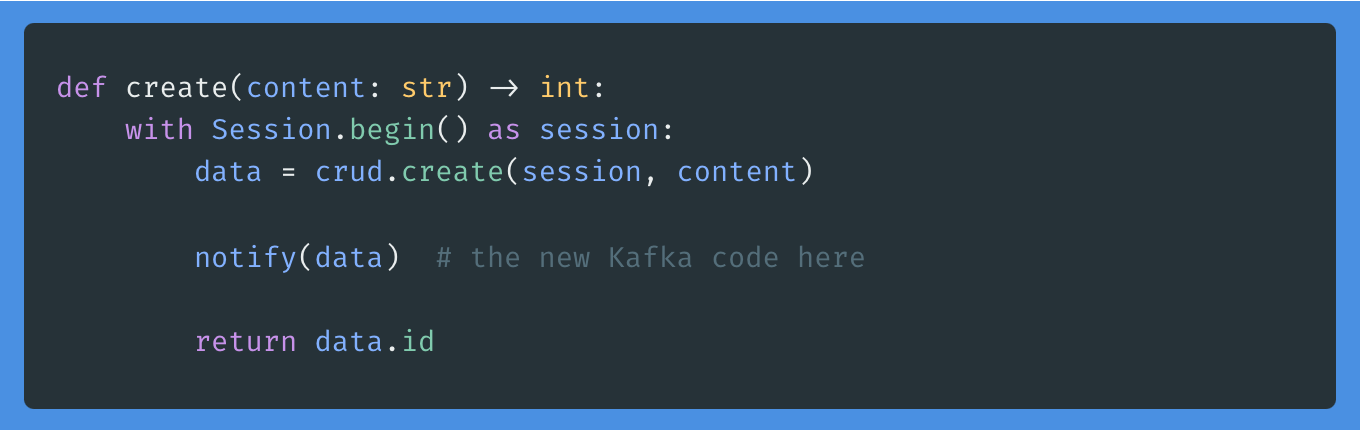
Great! Now I have a namespace package that is ready for coding. I'll continue with writing a create function. While working on it, I realize I need a persistent storage. I decide to try out SQLAlchemy and the Session thing.

def create(content: str) -> int:
    with Session.begin() as session:
        data = crud.create(session, content)
        return data.id

Again, I will use the poly tool to create a database component, where I will put all the SQLAlchemy setup along with a model and the function where data is added to the DB.

def create(session: Session, content: str) -> Message:
    data = Message(content=content)

    session.add(data)
    session.flush()

    return data

In this example, I will go for SQLite to keep things simple. Use your favorite data storage here.

from sqlalchemy import create_engine
from sqlalchemy.ext.declarative import declarative_base
from sqlalchemy.orm import sessionmaker

DATABASE_URL = "sqlite:///./sql_app.db"
DATABASE_ARGS = {"check_same_thread": False}

engine = create_engine(DATABASE_URL, connect_args=DATABASE_ARGS)
Session = sessionmaker(autocommit=False, autoflush=False, bind=engine)
Base = declarative_base()

I now have the basics done and am ready to write the endpoint.

I could (of course) also have started from the endpoint, if I wanted to. Polylith allows you to postpone design decisions until you are ready for it.

Before continuing, I will add the components to the packages section of the workspace pyproject.toml:

packages = [
    {include = "my_namespace/database", from = "components"},
    {include = "my_namespace/message", from = "components"},
]

The Base Plate

API endpoints are recommended to have in what is called a base in Polylith. The idea is very much like LEGO, when building things with bricks and place them on a base plate. Yes, the FastAPI endpoint is the base plate. I will create a new base with the poly tool, and add the FastAPI code in there. It will import the message component I wrote before, and consume the create function.

@app.post("/message/", response_model=int)
def create(content: str = Body()):
    return message.create(content)

Just as with the components, I will add the base to the packages section of the pyproject.toml:

{include = "my_namespace/message_api", from = "bases"},

I can now try out the API in the browser (I have already added the FastAPI dependency). Developing & trying out code is normally done from the development area (i.e. the root of the workspace). This is where you have all the things set up, all code and all dependencies in one single virtual environment. This is a really good thing for a nice Developer Experience.

Reusing existing code

I realize that I need something that will log what is happening in the service. Luckily, there's already a log component there that was added before, for a different service. I'll go ahead and import the logger into my endpoint and start logging.

✨ This is where Polylith really shines. ✨ The components that you develop are ready to be re-used already from start. There's no need to extract code into libraries or doing something additional. All previosly written components are already there, and you just add them to your project. You might think that the logger is a silly little thing? Yes, it is. But this is only a simple example of code that is shared between projects in a Polylith Workspace.

The Project

There's one important part missing, and that is the project. A project is the artifact that will be deployed. It is a package of all project-specific code, along with project-specific configuration. Using the poly tool and adding the base to the project-specific pyproject.toml. Note the relative path to the bases folder.

packages = [
    {include = "my_namespace/message_api", from = "../../bases"},
]

I'm feeling lazy and will use the poly tool to add the other needed bricks for this specific project (components and bases are often referred to as bricks). The poly tool will analyze the imports and add only the ones needed for this project when running the poetry poly sync command. There's also a check command available that will report any missing bricks.

You still need to add the third party dependencies, though. There's limits to the magic of the poly tool 🪄 🧙. To keep track on what is needed in the bricks, you can actually run poetry poly check again. It will notify about the usage of SQLAlchemy in the bricks. You can use the poly check command during development to guide you in the dependencies actually needed for this specific project.

Add sqlalchemy to the [tool.poetry.dependencies] section manually. You can update the lock-file for the project by running the builtin Poetry command:

poetry lock --directory projects/message_fastapi_project

All project-specific dependencies should now be set up properly! When packaging the project, simply run the poetry build-project (with --directory projects/my_message_fastapi_project if you run the command from the workspace root). You can use the built wheel to deploy the FastAPI service. It contains all the needed code, packaged and re-arranged without any relative paths.

What's in my Workspace?

Check the state of the workspace with poetry poly info command. You will get a nice overview of the added projects, bricks and the usage of bricks in each project.

In this article, I have written about the usage of Polylith when developing services. Adding new services is a simple thing when working in a Polylith workspace, and the tooling is there for a nice Developer Experience. Even if it sometimes might feel like a superpower, it's basically only about keeping things simple. Don't hesitate to reach out if you have feedback or questions.

Additional info

Full example at: python-polylith-example
Docs about Polylith: Python tools for the Polylith Architecture

Top photo by Yulia Matvienko on Unsplash